
Your ferry across free AI.
All free providers. One gateway. Smart routing.
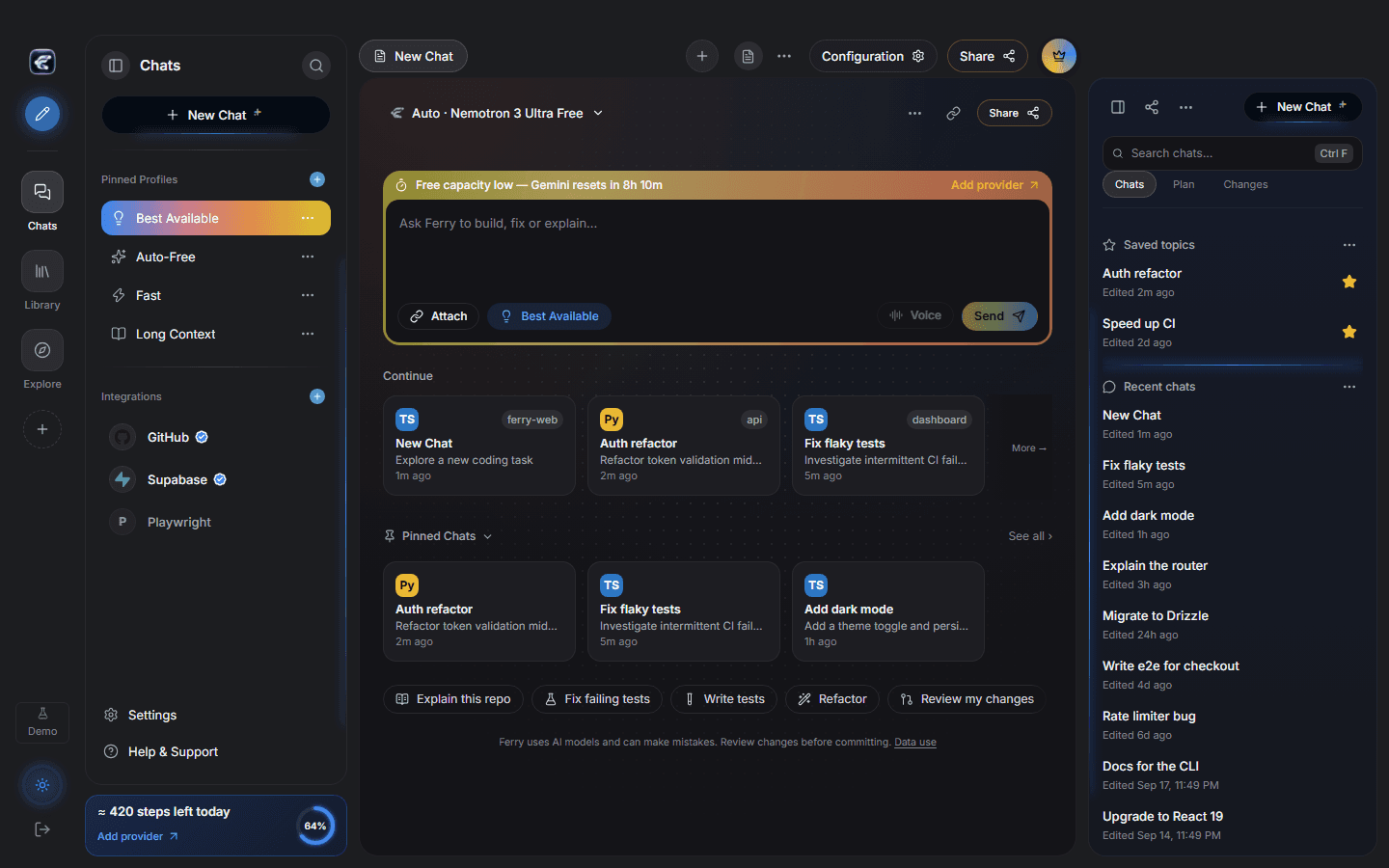
Ferry is a Windows desktop and CLI coding agent. It carries each coding request from your machine across free and paid providers, and keeps the session on course with key health, rotation, and usage controls. Bring your own keys.
No pooled accounts and no fixed free quota. Providers control the limits.
Windows may show a SmartScreen warning because beta installers are unsigned. Run the file only when it came from the official Ferry releases page.
The crossing
Many providers in. One gateway out.
Ferry aggregates free and paid providers, routes each request, and fails over when a key runs out of room. The output is one local Gateway: an OpenAI-compatible key you can plug into OpenCode, Kilo Code, and any other compatible app.
Bring your own keys. Ferry does not pool accounts or promise a fixed free quota.
What the gateway carries
One place to dock your keys, choose a route, and keep working when a provider runs out of room.
Free providers hub
Dock Gemini, Groq, OpenRouter, Mistral, NVIDIA, and the rest of the catalog in one place. Add a key per provider and Ferry can see which berths are open.
Smart routing
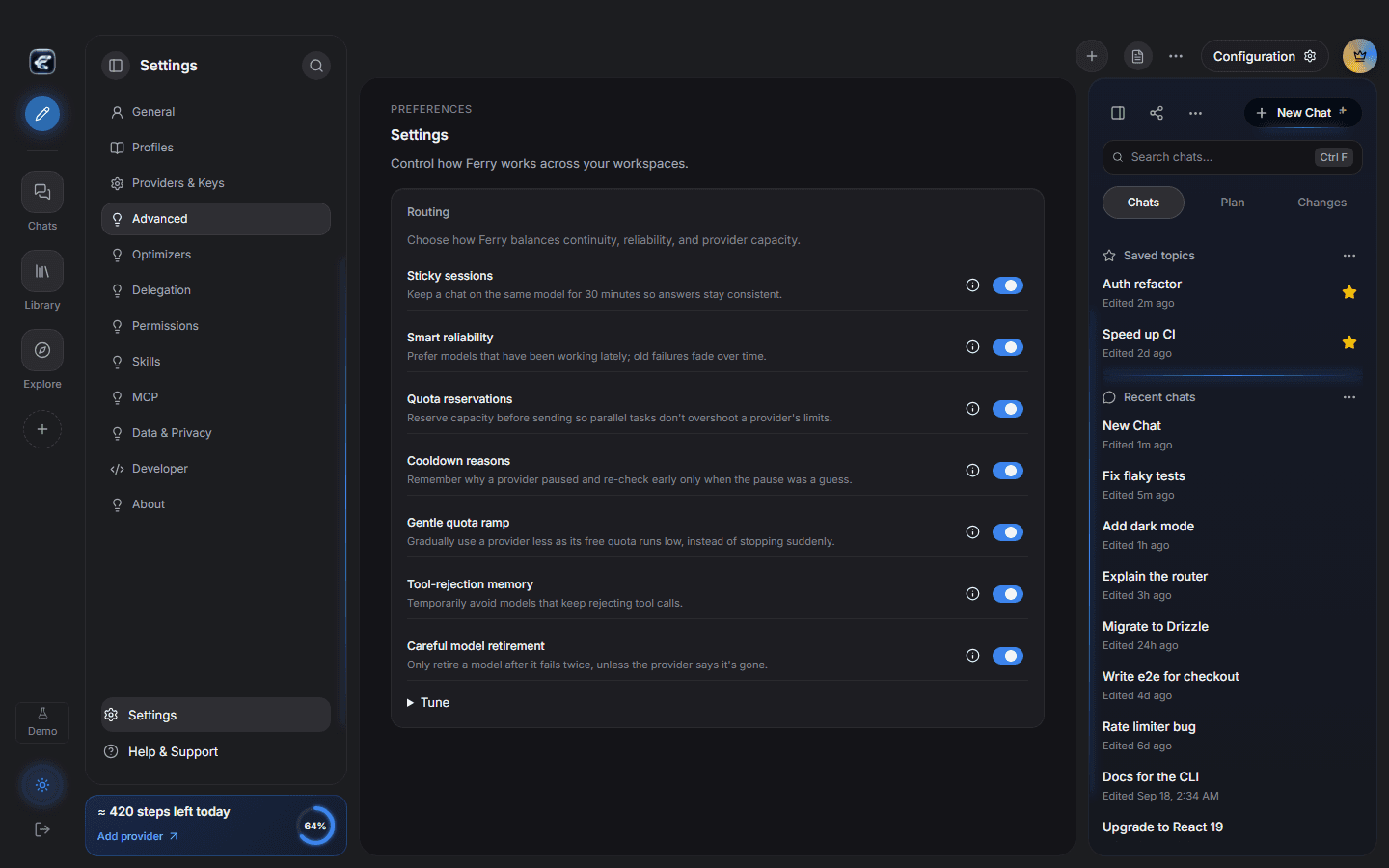
Pick a profile and Ferry carries the request to a healthy model. When a berth fills or a key fails, the next candidate takes the crossing.
Key health and rotation
Every key has health, rotation, and automatic disable and re-enable. A tired key does not sink the session.
Desktop + CLI
The same route from the Ferry window or from ferry run. When the desktop core is up, the CLI can share it.
Local-first
Sessions and workspace data stay on your computer. Provider secrets live in the operating system keyring, not in the repo.
Honest BYOK
Ferry is bring-your-own-key. It does not pool accounts, share subscriptions, or promise a fixed number of free coding sessions.
How a crossing works
Three steps from an empty dock to a session that can change models without changing the chat.
- 01
Add keys
Open Providers and keys, choose a provider, and add your own API key. Ferry stores it in the OS keyring.
- 02
Pick a route
Choose a routing profile. Ferry scores healthy models and falls over when a free berth is full.
- 03
Code
Ask from the desktop composer or the CLI. Review the changes before they land.
ferry run "Explain this project"
The dock
Routing, capacity, and the session live on your machine.
Questions before you board
Short answers. Provider limits still belong to the providers.
Ready for the crossing?
Download Ferry for Windows, add your own keys, and send the first request across.
Windows may show a SmartScreen warning because beta installers are unsigned. Run the file only when it came from the official Ferry releases page.